← Keeping things · Contents · Sync →
Managing sources
One feed
The gear on a shelf row (shown by Select several or a long press), or the gear beside the source's name in an open article, opens that feed. On a tablet or a desktop it opens beside the list, in the article's place, and Back to the article at its top (or Esc) closes it again. On a phone it opens over the list:
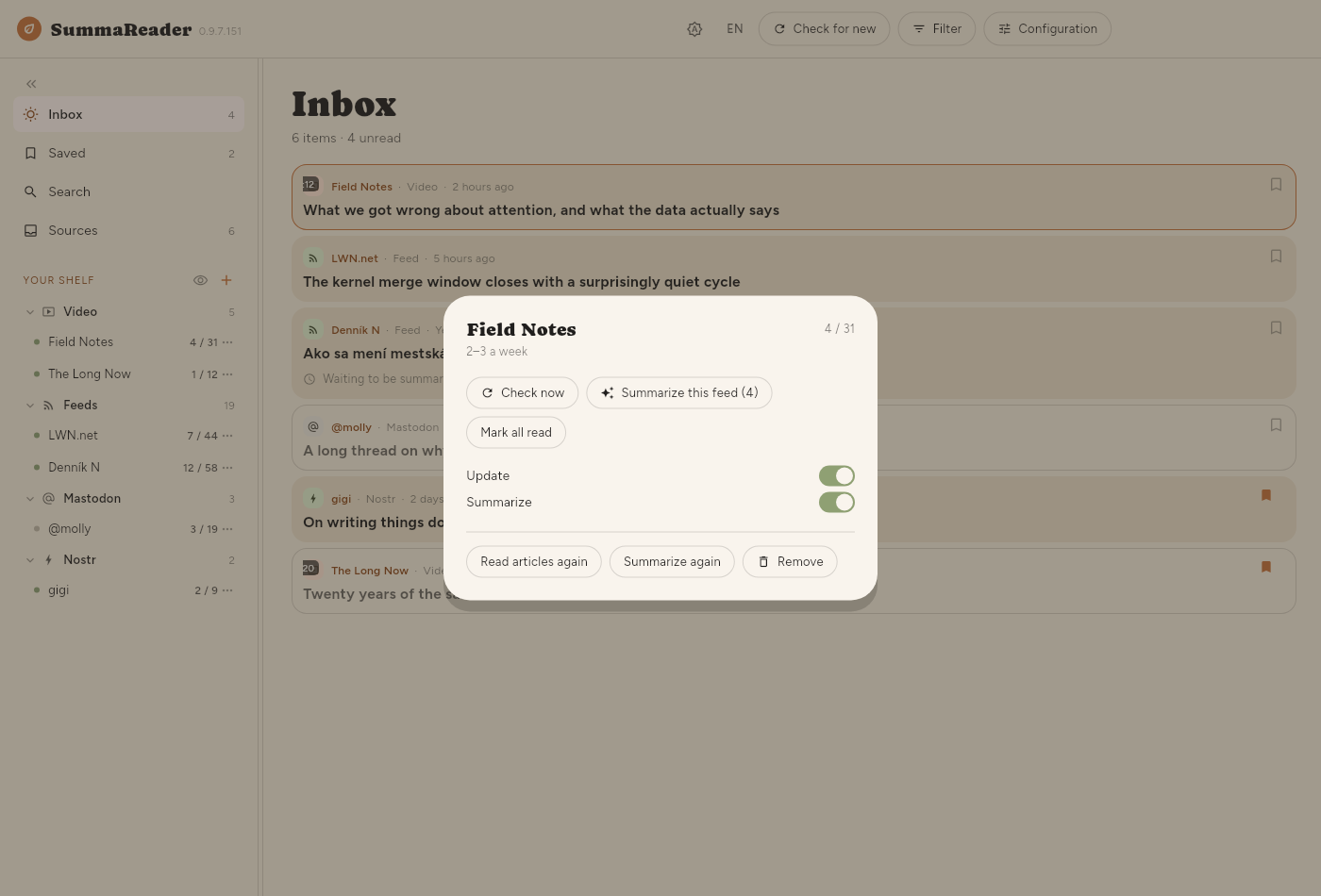
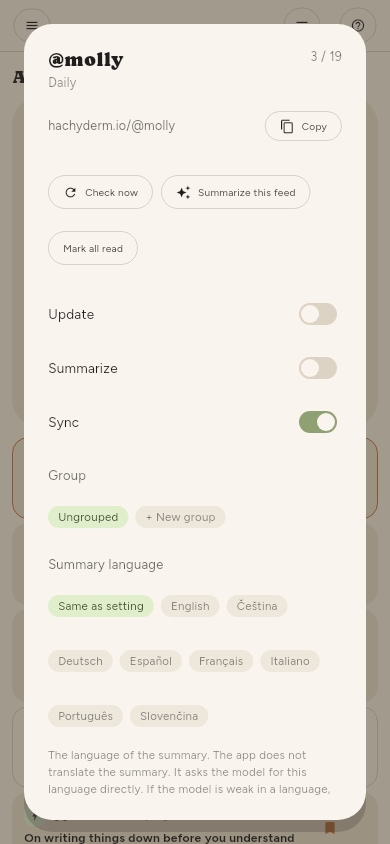
| Check now | Fetch this feed |
| Summarize this feed | Everything of its waiting for one |
| Mark all read | Everything of its |
| Update | Whether checks include it |
| Summarize | Whether checks summarize it |
| Sync | Whether its articles travel to your other devices |
| Group, Summary language | Where it sits in the shelf, and its own summary language |
| Read articles again | Re-fetch text that failed |
| Summarize again | Discard its summaries and redo them |
| Load older items… | Bring in items from before the source's start |
| Remove | Asks first, and says what it costs |
Summarize again is what to use after changing the summary language or the model — an article that already has a summary is never redone otherwise.
Load older items… asks a feed for a number of older items. On a YouTube channel or playlist it shows the channel's or playlist's list instead, about 100 videos at a time. Tick the videos you want, or Select all on this page, then press Import. Load next page gets the next page; the list never loads more by itself. Videos that you already have, or deleted, show In the library and you cannot tick them. Each imported video gets the date from its YouTube page. A video without a date is skipped. If YouTube asks the app to slow down while it loads a page, the videos already in the list stay there. If it asks during an import, the import stops and keeps the videos that came before. Try again later.
It shows on every feed, also on one that started with all its items. The app first takes the older items that the feed lists now. If they are fewer than you asked for, it reads the feed's older pages, one page at a time, up to 20 pages. Some feeds keep no older pages. Then the app finds fewer, and says how many.
History, folded at the bottom of the panel, lists every change to the feed, newest first: its tags, group and settings, and when it was added or removed. Each line gives the date and time, what changed, and where the change came from — this device, the MCP server with the token's name, sync, a tag rename, or an action on several sources at once. The history stays on this device and is not synced.
Many feeds
Configuration › Basic › Sources › Sources is the same controls over the whole list, with a filter and a tick box, so "every YouTube channel I imported last week" is one action rather than three hundred.